


Edit any track
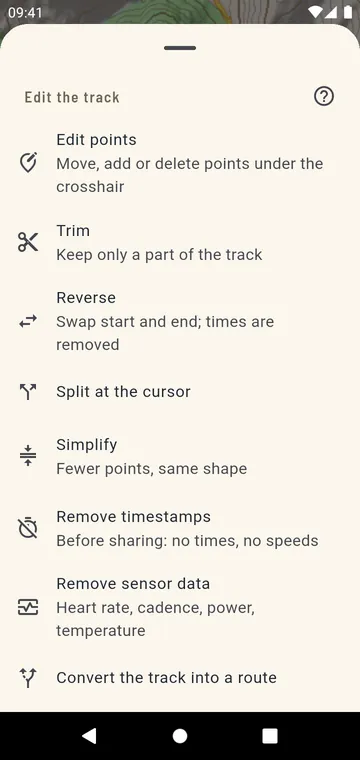
Everything you need to fix a track:
- trim the start and the end, with two sliders and a preview on the map;
- split it at a point of the profile, or merge it with another open track;
- reverse it, simplify it, or remove times or sensor data;
- turn a route into a track and back, join or delete segments;
- move, add and delete points one by one.
Waypoints get a name, a note and an icon.
Every edit is a new version
GPX Atlas never overwrites your file. Each edit saves a new version, Undo brings back the previous one, and the file you opened stays as it was — you can still share the original.
Draw a route that follows the trails
Tap the map to set points: with Follow paths, the route goes along trails and roads for hiking, walking or cycling, with its distance and climb as you draw. Without it, straight lines. The route is saved as a GPX, ready to follow.
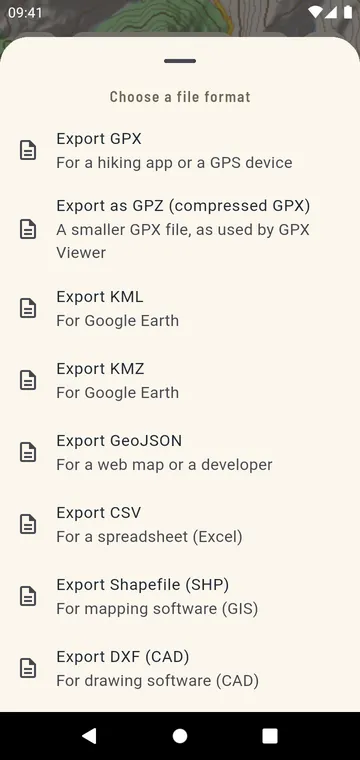
Export in the format you need
GPX, GPZ, KML, KMZ, GeoJSON, CSV, Shapefile and DXF, a PDF report or a picture of the map — for Strava, komoot, Garmin Connect, Google Earth, a GIS or a spreadsheet. Several tracks can go into one file, and your whole library into one backup.