


From any app
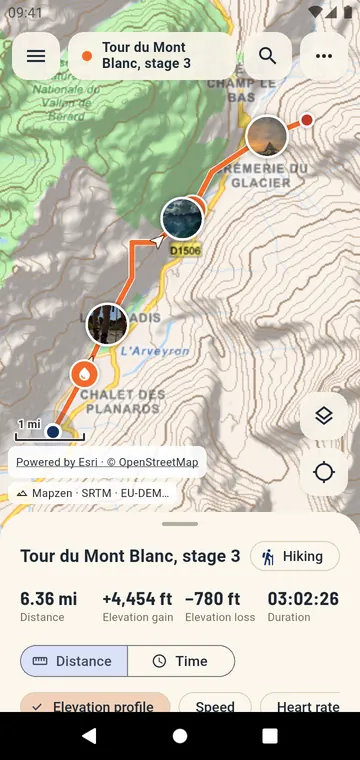
Android does not open GPX files by itself. GPX Atlas registers for them: tap a track in Gmail, WhatsApp, Telegram, Signal, Google Drive, your browser's downloads or the Files app, choose GPX Atlas, and it opens on the map. You can also share a file to the app, press Open a file in the library, or paste a web address of a GPX.
The formats it reads
- GPX — tracks, routes and waypoints, with heart rate, cadence, power and temperature when the file has them;
- KML and KMZ — from Google Earth and My Maps, with folders, lines, placemarks and icons;
- FIT — activities and courses straight from a sports watch or a bike computer;
- TCX, LOC, GeoJSON, GPZ, and zip files holding several tracks.
The app looks at what the file contains, not only at its name: a GPX saved as .xml or sent as file.bin by a messaging app still opens. Files exported by Garmin, Strava, komoot, Wikiloc, AllTrails and Google Earth open as they are.
Big tracks, several at once
A track of several hundred thousand points opens in a few seconds, even on a modest phone. Open several tracks together to compare a route and the ride, or the stages of a trek: each keeps its color, and the totals add up.
No access to all your files
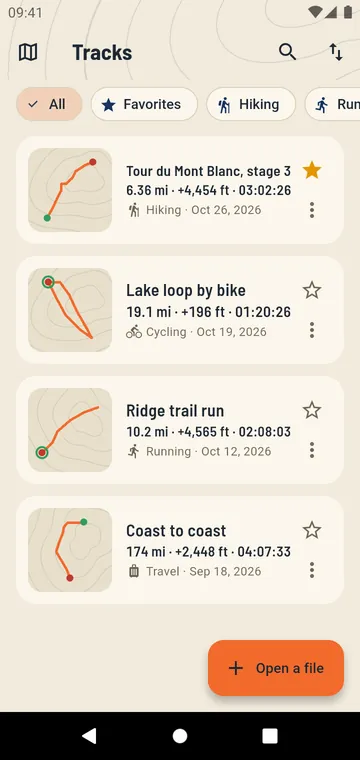
GPX Atlas never asks for the "all files" permission. It reads the file you give it, copies it into its own library, and keeps the original untouched.