
Open any GPX. Follow it on the trail.
GPX Atlas opens the track you just received — GPX, KML, KMZ, FIT and more — shows it on a map with relief, and guides you along it, turn by turn. No account, no cloud.

 Scan with your phone to install
Free on Android · No account · No subscription
How it works
- 1
Receive a track
A GPX, KML or FIT file by email, in a chat or from a website.
- 2
Open it
Tap the file and choose GPX Atlas. The track is on the map.
- 3
Go outside
Follow it with turn guidance, or record your own track.
GPX Atlas in one minute
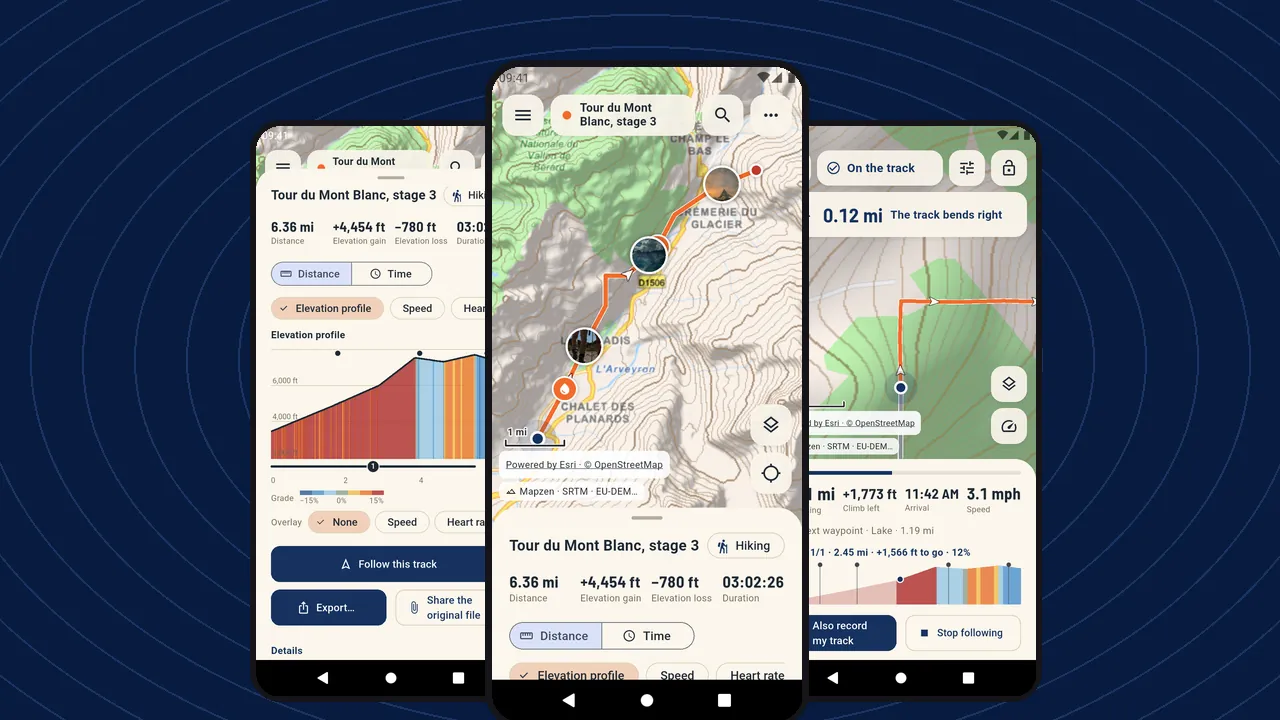 Play the video · 1 min 10 s
The video plays on YouTube. Nothing loads from YouTube until you press play.
A GPX file is a route or a track recorded by a GPS: the path, its altitude and often its times. Friends, clubs, websites and sports watches share them as GPX, KML, KMZ or FIT files. Android cannot open them on its own. GPX Atlas can, and takes you along them.
- Every track opens — GPX, GPZ, KML, KMZ, FIT, TCX, LOC, GeoJSON and zip files, from any app, even with the wrong file name. Opening files
- Turn guidance that holds on loops and out-and-backs — the next turn with its distance, a vibration and the voice, and the profile of the kilometers ahead. Following a track
- Maps with relief — street map, satellite, hybrid, terrain, hill shading and contour lines on any map, and official maps you can keep offline where their publisher allows it. Maps
- Edit and export — trim, split, merge, reverse; draw a route that follows the trails; save as GPX, KML, KMZ, GeoJSON, CSV, Shapefile, DXF or a PDF report. GPX editor
Your tracks and your position never leave your phone. There is no account to create and no subscription: one small banner pays for the app, and one purchase removes it.
Everything a track needs
Open any file
Tap the file, choose GPX Atlas, and the track is on the map — whatever app it came from.
Follow a track
The next turn, the climb ahead and the distance left — and a vibration the moment you leave the path.
Maps and offline
The right map under your track — from satellite to official topographic maps, with relief computed on your phone.
Elevation profile
Every climb numbered, every slope colored, every split counted — and the spot on the map under your finger.
Record your track
Start, put the phone in your pocket, and find the whole outing when you are back — even if the app was closed on the way.
Edit and plan
Fix a track, cut it into stages, draw the next one — and keep the original, always.
Photos on the track
The view from the pass, at the exact spot on the map and on the profile.
Privacy
Your tracks are yours. They stay on your phone, and nobody asks you to sign in.
Why GPX Atlas
- Free: every feature
- No account
- Offline maps, where allowed
- No access to all your files
- 43 languages
- Android 8.0 and later
See it in the app
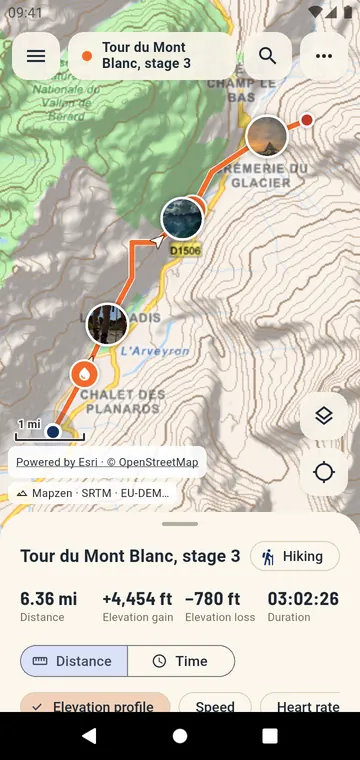
A hike on the map with relief and photos
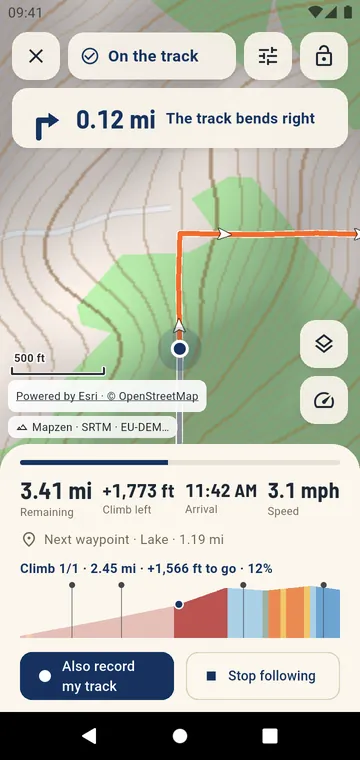
Following a track: next turn, climb page and the figures left
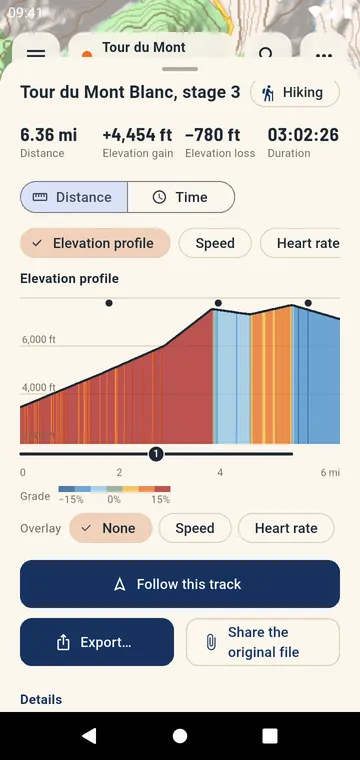
Elevation profile colored by slope, climbs numbered
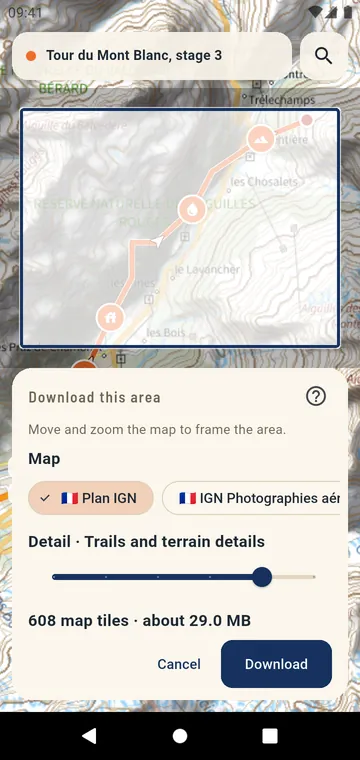
Downloading an area of an official map for offline use
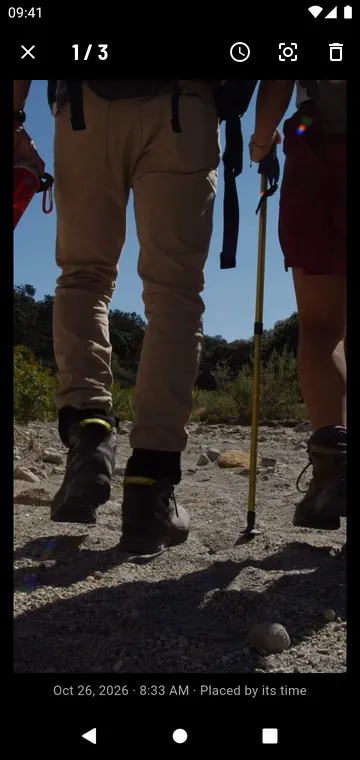
A photo placed on the track by its time
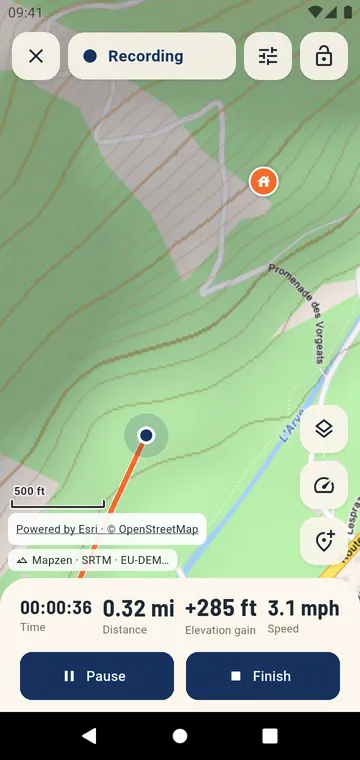
Recording a hike: time, distance, climb and speed
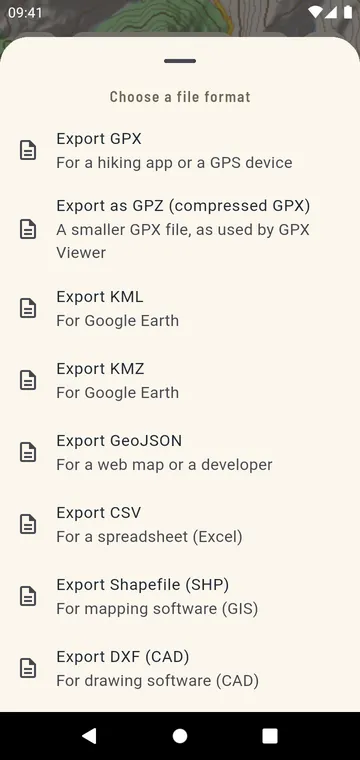
Export formats: GPX, GPZ, KML, KMZ, GeoJSON, CSV, Shapefile, DXF
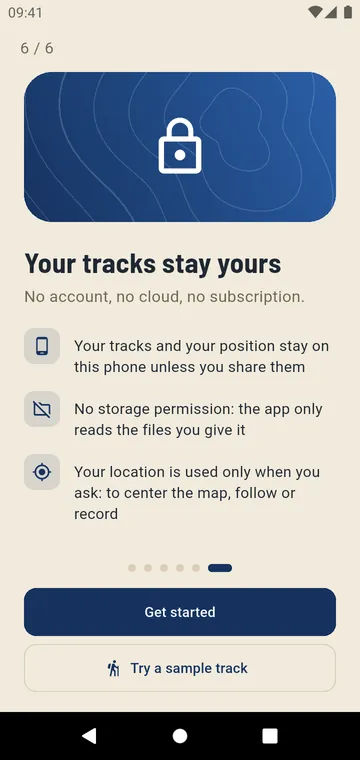
No account, no cloud: your tracks stay on your phone
Guides
Open a GPX on Android
You received a GPX by email or WhatsApp and nothing happens when you tap it. Here is how to open it, see it on a map and use it on the trail.
KML and KMZ on Android
A KML or KMZ from Google Earth, My Maps or a land survey, on a real map — and ready to follow or convert.
Convert GPX and KML
No converter website, no upload: open the file, export it in the format you need.
Follow a GPX on a hike
From the file you received to the summit: what to prepare at home, what the phone does on the trail, and how to save battery.

Your next track is one tap away
Open the GPX you just received and see it on the map in seconds.